Looking for the best handheld gaming devices for versatile play on the go? This guide highlights five top options that cover cloud gaming, PC libraries, retro emulation, and kid-friendly use. Each pick suits a different type of buyer—whether you want console-style cloud play, a Windows-ready handheld, or a compact retro handheld. The summary table below helps you compare at a glance.
| Product | Best For | Why It Stands Out |
|---|---|---|
| OnePro Cloud Handheld | Avid cloud gamers | All-in-one cloud, remote play, and Android titles on a 7″ display. |
| ASUS ROG Xbox Ally | PC game library on the go | Windows 11 device with full Xbox/PC game access. |
| Retroid Pocket 5 | Retro and indie lovers | Strong emulation with Android-based versatility. |
| RF40H | Massive retro library | Preloaded 20,000+ games with multi-emulator support. |
| Valve Steam Deck OLED 1TB | PC gamers seeking premium OLED | High-end specs, large OLED display, powerful performance. |
OnePro Cloud Handheld: All‑In‑One Cloud and Android Gaming

The OnePro Cloud Handheld combines cloud gaming, remote play, and Android titles in a single, portable package. This device is best for buyers who want instant access to AAA cloud titles and local Android games on a 7″ 1080p touchscreen with responsive controls. It supports Xbox Cloud Gaming, GeForce NOW, PlayStation, and more, making it a flexible choice for multi-service users. A potential limitation is the need for active cloud or subscription services to maximize its cloud features.
ASUS ROG Xbox Ally: Windows on the Go

The ASUS ROG Xbox Ally is a Windows 11 handheld designed to run your full PC game library. It’s ideal for buyers who want seamless access to Xbox Game Bar, Game Pass, Steam, and other Windows games on the go. It supports native PC gaming with a compact form factor. A caveat is that Windows-based devices may require more frequent charging due to higher performance levels.
Retroid Pocket 5: Retro and Android Power

The Retroid Pocket 5 emphasizes retro and indie titles with modern Android flexibility. It features a Snapdragon 865-class processor, Adreno 650 GPU, and WiFi 6, delivering smooth gameplay for retro classics and newer indie games alike. Best for fans of emulation who want strong performance plus Android access. A limitation is potential software updates and battery management considerations for longer sessions.
RF40H: Massive Preloaded Library
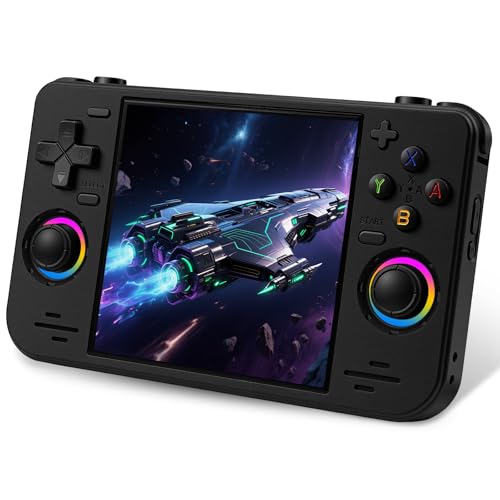
The RF40H offers over 20,000 preloaded games and support for multiple emulators, providing a rich retro experience. It’s best for those who want immediate access to a wide library without ongoing downloads. The device notes that it’s not ideal for users under 12 years old and may appeal to multi-genre retro enthusiasts seeking couch co-op via WiFi.
Valve Steam Deck OLED 1TB: Premium PC on the Go

The Steam Deck OLED 1TB delivers high-end PC gaming in a handheld form with a 7.4″ OLED display and up to 90Hz. It’s best for buyers needing a powerful PC gaming experience on the move, with extensive library access and robust performance. A consideration is that its larger form factor and higher power needs may impact portability and battery life under heavy use.
Buying Guide
What should you consider when choosing a handheld gaming device?
- Purpose: Cloud vs. PC library vs. retro emulation. Pick a device tailored to your primary gaming style.
- Display and controls: Look for screen resolution, size, and button layout that align with your comfort and game types.
- Library access: Some devices emphasize cloud subscriptions; others rely on local stores or emulation ecosystems.
- Battery life and charging: Longer sessions require efficient power, quick charging, and reasonable standby times.
- Portability: Weight and bulk affect travel, commuting, and casual use on the go.
- Software support: OS updates, emulator compatibility, and app availability influence long-term usefulness.
FAQ
- What is the main difference between cloud handhelds and PC-based handhelds?
Cloud handhelds rely on streaming services; PC-based handhelds run installed games or full Windows libraries. - Can I play retro games on modern handhelds?
Yes, many support emulation or preloaded libraries for classic titles. - Do handhelds require subscriptions for cloud services?
Some do; cloud play is often tied to services like Xbox Game Pass or GeForce NOW. - Which device is best for kids?
Kid-friendly designs with preloaded games and simple controls are ideal for younger users. - Is OLED better for gaming handhelds?
OLED offers higher contrast and rich colors, improving immersion for compatible displays. - What should I check before buying?
Compare library breadth, performance, battery life, and the ecosystem you already use.